doris_manager 安装doris 2.11
访问量:406
创建时间:2025-12-17
关闭 透明大页
##临时关闭
echo "never" >  /sys/kernel/mm/transparent_hugepage/enabled
##永久关闭
###############修改文件 增加 transparent_hugepage=never
vim /etc/default/grub
GRUB_TIMEOUT=5
GRUB_DISTRIBUTOR="$(sed 's, release .*$,,g' /etc/system-release)"
GRUB_DEFAULT=saved
GRUB_DISABLE_SUBMENU=true
GRUB_TERMINAL_OUTPUT="console"
GRUB_CMDLINE_LINUX="crashkernel=auto spectre_v2=retpoline rd.lvm.lv=centos/root rd.lvm.lv=centos/swap rhgb quiet transparent_hugepage=never"
GRUB_DISABLE_RECOVERY="true"
#####################
grub2-mkconfig -o /boot/grub2/grub.cfg
cat >> /etc/sysctl.conf << EOF
vm.max_map_count = 2000000
EOF
sysctl  -p
sudo systemctl stop firewalld.service
sudo systemctl disable firewalld.service
echo "* hard nofile 1000000" >> /etc/security/limits.conf
echo "* soft nofile 1000000" >> /etc/security/limits.conf
echo "* soft nproc 65535" >> /etc/security/limits.conf
echo "* hard nproc 65535" >> /etc/security/limits.conf
echo "* soft  stack  unlimited" >> /etc/security/limits.conf
echo "* soft  stack  unlimited" >> /etc/security/limits.conf
echo "* soft  core   unlimited" >> /etc/security/limits.conf
echo "* hard  core   unlimited" >> /etc/security/limits.conf
echo "* soft  fsize  unlimited" >> /etc/security/limits.conf
echo "* hard  fsize  unlimited" >> /etc/security/limits.conf
echo "* soft  data   unlimited" >> /etc/security/limits.conf
echo "* hard  data   unlimited" >> /etc/security/limits.conf
###无密码访问
[root@localhost ~]# ssh-keygen
Generating public/private rsa key pair.
Enter file in which to save the key (/root/.ssh/id_rsa):
Created directory '/root/.ssh'.
Enter passphrase (empty for no passphrase):
Enter same passphrase again:
Your identification has been saved in /root/.ssh/id_rsa.
Your public key has been saved in /root/.ssh/id_rsa.pub.
The key fingerprint is:
SHA256:+zXCRHEuk1PInESPOnxtRVKFM2v4dyZq5ydTEz/jKGw root@localhost.localdomain
The key's randomart image is:
+---[RSA 2048]----+
|         =+o+.oo.|
|          =O o+  |
|          B o..+ |
|       . o =..o. |
|        S o oo  o|
|         * .  o+*|
|        . + o.o==|
|         . Eoo+..|
|          o..o.+ |
+----[SHA256]-----+
[root@localhost ~]#
[root@localhost ~]# ssh-copy-id 192.168.72.106
/usr/bin/ssh-copy-id: INFO: Source of key(s) to be installed: "/root/.ssh/id_rsa.pub"
The authenticity of host '192.168.72.106 (192.168.72.106)' can't be established.
ECDSA key fingerprint is SHA256:I3QFrL+ou1zH5OISbl7yVRWN0aM8VYKUcaLEw8LhWks.
ECDSA key fingerprint is MD5:71:85:e3:f2:a8:5e:75:d2:f9:a5:e3:17:b9:5e:77:88.
Are you sure you want to continue connecting (yes/no)? yes
/usr/bin/ssh-copy-id: INFO: attempting to log in with the new key(s), to filter out any that are already installed
/usr/bin/ssh-copy-id: INFO: 1 key(s) remain to be installed -- if you are prompted now it is to install the new keys
root@192.168.72.106's password:
[root@localhost ~]# ssh-copy-id 192.168.72.113
/usr/bin/ssh-copy-id: INFO: Source of key(s) to be installed: "/root/.ssh/id_rsa.pub"
The authenticity of host '192.168.72.113 (192.168.72.113)' can't be established.
ECDSA key fingerprint is SHA256:I3QFrL+ou1zH5OISbl7yVRWN0aM8VYKUcaLEw8LhWks.
ECDSA key fingerprint is MD5:71:85:e3:f2:a8:5e:75:d2:f9:a5:e3:17:b9:5e:77:88.
Are you sure you want to continue connecting (yes/no)? yes
/usr/bin/ssh-copy-id: INFO: attempting to log in with the new key(s), to filter out any that are already installed
/usr/bin/ssh-copy-id: INFO: 1 key(s) remain to be installed -- if you are prompted now it is to install the new keys
root@192.168.72.113's password:
[root@localhost ~]# ssh-copy-id 192.168.72.114
/usr/bin/ssh-copy-id: INFO: Source of key(s) to be installed: "/root/.ssh/id_rsa.pub"
The authenticity of host '192.168.72.114 (192.168.72.114)' can't be established.
ECDSA key fingerprint is SHA256:I3QFrL+ou1zH5OISbl7yVRWN0aM8VYKUcaLEw8LhWks.
ECDSA key fingerprint is MD5:71:85:e3:f2:a8:5e:75:d2:f9:a5:e3:17:b9:5e:77:88.
Are you sure you want to continue connecting (yes/no)? yes
/usr/bin/ssh-copy-id: INFO: attempting to log in with the new key(s), to filter out any that are already installed
/usr/bin/ssh-copy-id: INFO: 1 key(s) remain to be installed -- if you are prompted now it is to install the new keys
root@192.168.72.114's password:
安装并配置 NTP 服务,如果服务器可以联网不用参考下面的文档。
参考:https://www.linuxsre.cn/wiki/linux/354
mariadb安装参考https://www.linuxsre.cn/wiki/django3/3
[root@localhost ~]# mysql -uroot -p
Enter password:

MariaDB [(none)]> create database doris_manager DEFAULT CHARACTER SET utf8;
[root@localhost ~]# cd /data/
[root@localhost data]# ll
total 3794336
-rw-r--r-- 1 root root 2931347883 Aug 12 14:36 apache-doris-2.1.11-bin-x64.tar.gz
-rw-r--r-- 1 root root  954045403 Nov 14 12:43 doris-manager-24.3.2-x64-bin.tar.gz
[root@localhost data]# tar xf doris-manager-24.3.2-x64-bin.tar.gz
[root@localhost data]# mv doris-manager-24.3.2-x64-bin  doris-manager
[root@localhost data]# vim doris-manager/webserver/conf/manager.conf
DB_TYPE=mysql
DB_HOST=127.0.0.1
DB_PORT=3306
DB_USER=root
DB_PASS=123456
DB_DBNAME=doris_manager
[root@localhost data]# cd /data/doris-manager/
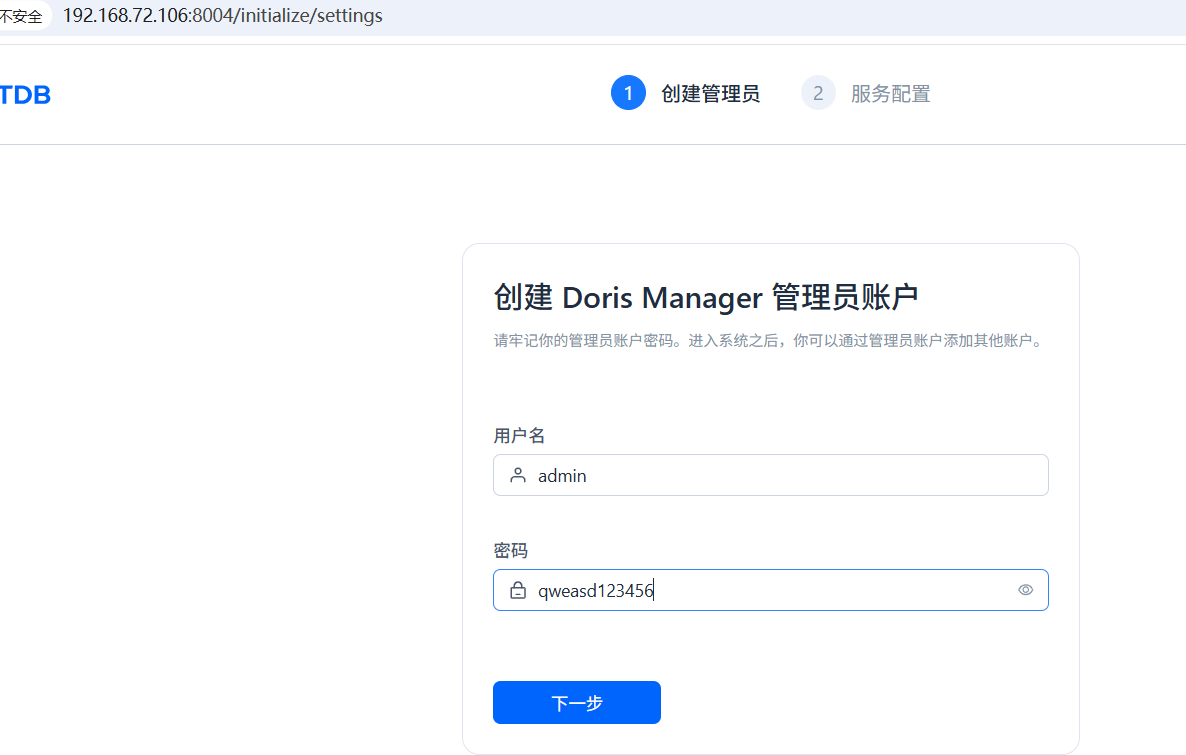
[root@localhost doris-manager]# ./webserver/bin/start.sh
####启动后稍等一会,8004端口才监听。日志在webserver/log/下,可以查看报错
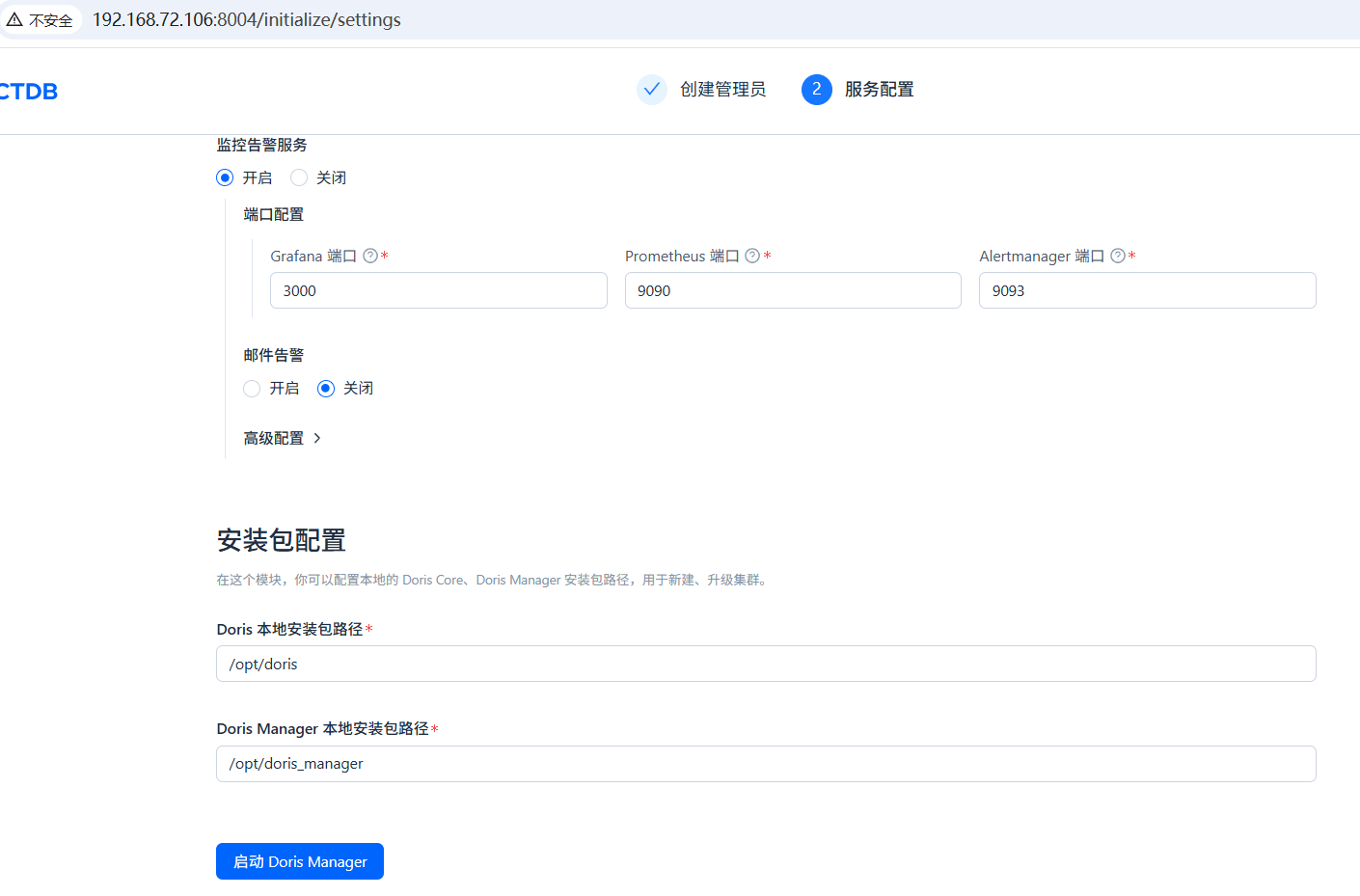
[root@localhost doris-manager]# mkdir /opt/doris
[root@localhost doris-manager]# mkdir /opt/doris_manager
[root@localhost doris-manager]# mv /data/apache-doris-2.1.11-bin-x64.tar.gz /opt/doris/
[root@localhost doris-manager]# mv /data/doris-manager-24.3.2-x64-bin.tar.gz /opt/doris_manager/
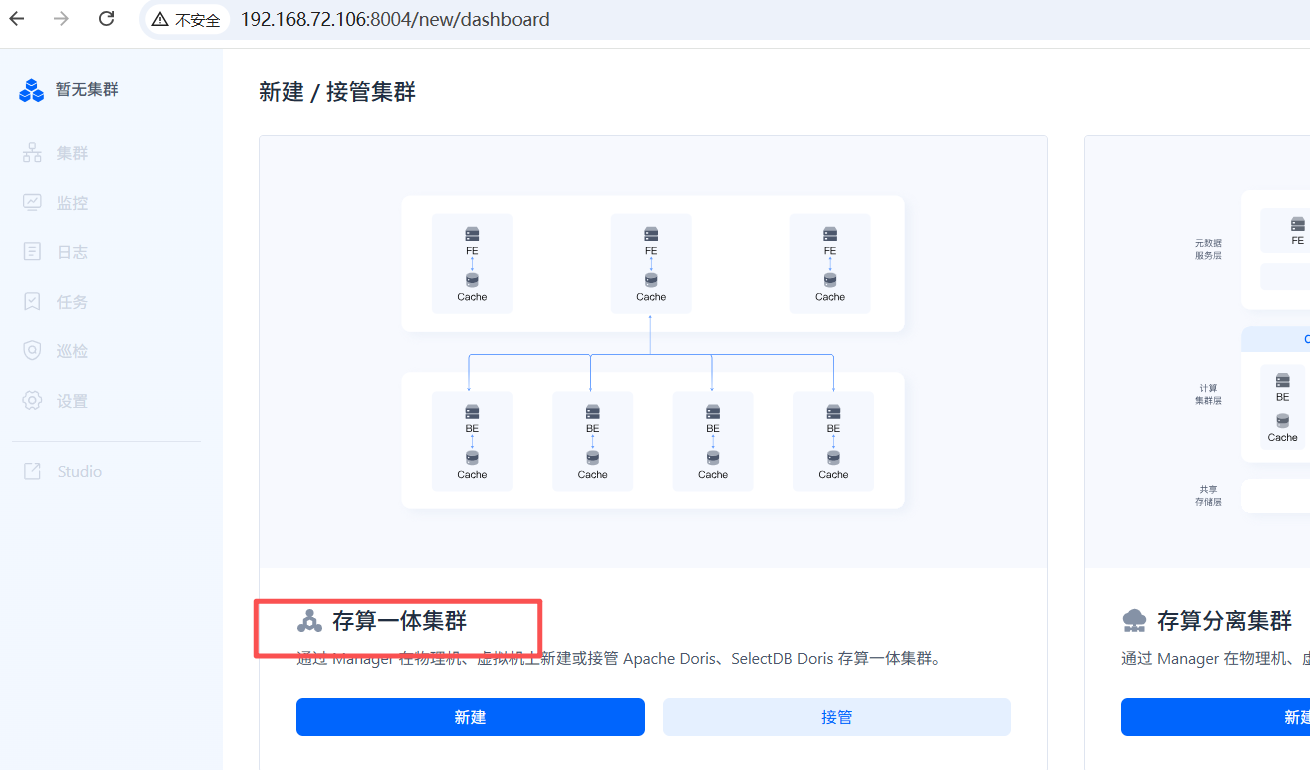
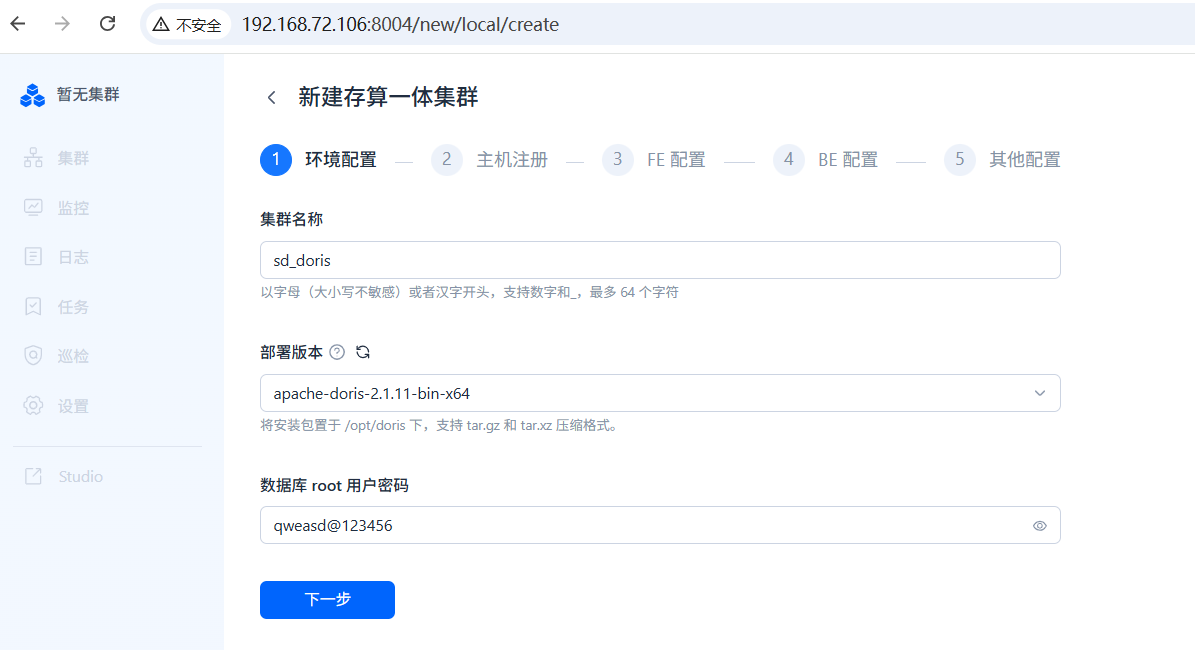
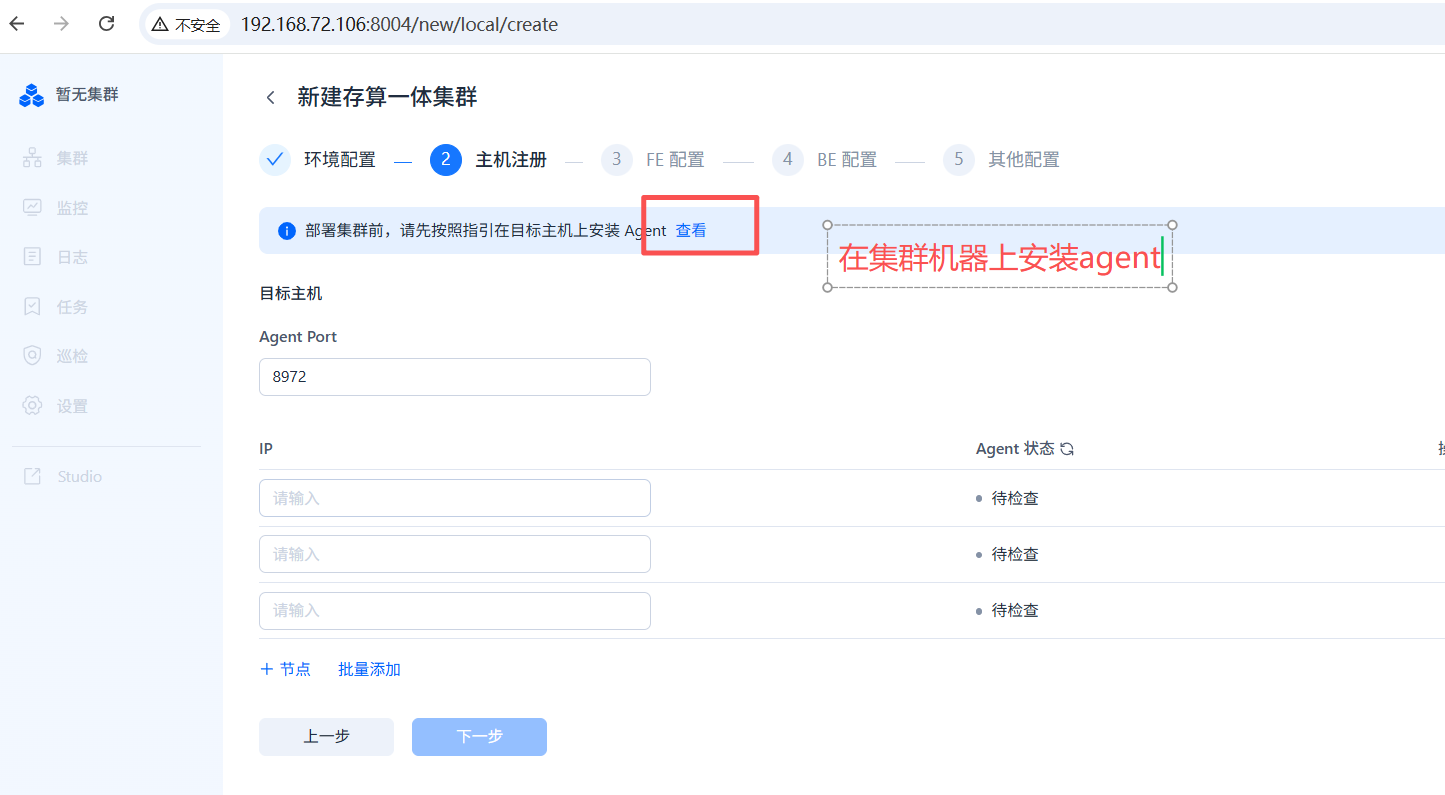
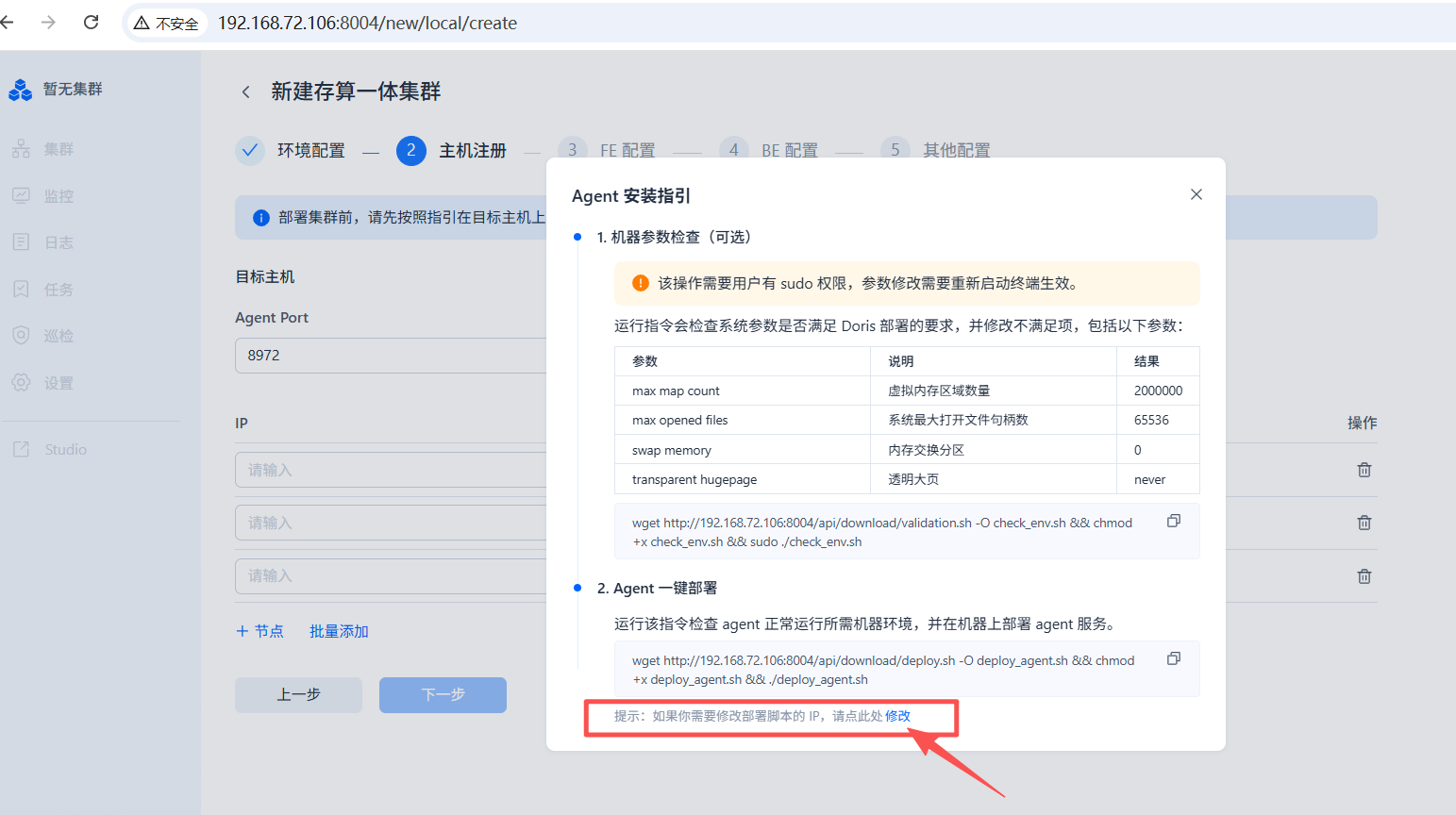
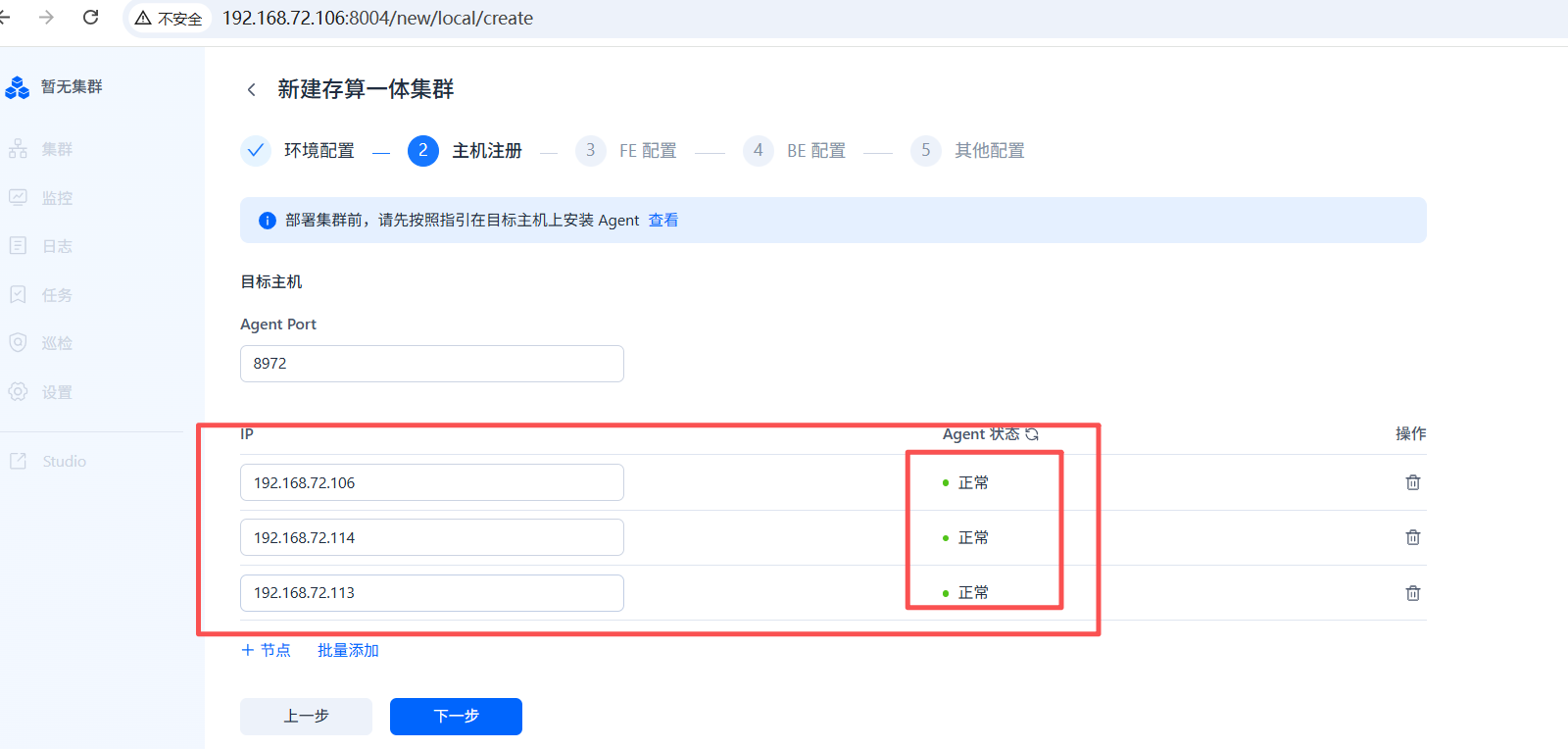
所有机器都安装agent,命令都要执行。如果每台服务器上有很多IP地址,可能需要设置内网ip.
[root@localhost ~]# wget http://192.168.72.106:8004/api/download/validation.sh -O check_env.sh && chmod +x check_env.sh && sudo ./check_env.sh
--2025-12-17 16:00:52--  http://192.168.72.106:8004/api/download/validation.sh
Connecting to 192.168.72.106:8004... connected.
HTTP request sent, awaiting response... 200
Length: 10560 (10K) [application/octet-stream]
Saving to: ‘check_env.sh’

100%[==========================================================================================================================>] 10,560      --.-K/s   in 0s

2025-12-17 16:00:52 (287 MB/s) - ‘check_env.sh’ saved [10560/10560]

sudo: pam_open_session: Permission denied
sudo: policy plugin failed session initialization
[root@localhost ~]# wget http://192.168.72.106:8004/api/download/deploy.sh -O deploy_agent.sh && chmod +x deploy_agent.sh && ./deploy_agent.sh
--2025-12-17 16:01:27--  http://192.168.72.106:8004/api/download/deploy.sh
Connecting to 192.168.72.106:8004... connected.
HTTP request sent, awaiting response... 200
Length: 9763 (9.5K) [application/octet-stream]
Saving to: ‘deploy_agent.sh’

100%[==========================================================================================================================>] 9,763       --.-K/s   in 0s

2025-12-17 16:01:27 (229 MB/s) - ‘deploy_agent.sh’ saved [9763/9763]

[INFO] deploy dir for manager-agent not specified, set as current path: /root
[INFO] Start to check OS env for manager-agent deployment
[INFO] net-tools command check pass
[INFO] manager-agent dependent commands check pass
[INFO] Start to deploy manager-agent, set deploy dir /root
[INFO] Downloading from http://192.168.72.106:8004/api/download/manager-agent-24.3.2-x64-bin.tar.gz
[INFO] File /root/manager-agent-24.3.2-x64-bin.tar.gz downloaded successfully
[INFO] decompress manager-agent package done
[OK] doris agent is running as pid=10895
[INFO] set doris agent crontab done
[INFO] Congratulations! manager-agent-24.3.2-x64-bin has been installed


登陆评论:
使用GITHUB登陆